TrimSpeedXP user guide
TrimSpeedXP is a free X-Plane 12 plugin that makes pitch trim faster and smoother. In X-Plane, one press of the trim key moves the pitch trim by a tiny, fixed amount, so on many aircraft you hold the key or click the button over and over to trim for a new speed. Digital trim wheels, such as the one on the Honeycomb Bravo Throttle Quadrant, work the same way: every click of the wheel is one button press, and one tiny trim step.
TrimSpeedXP lets you choose how far one press moves the trim, separately for each aircraft. The trim then glides smoothly to the new position instead of jumping there.
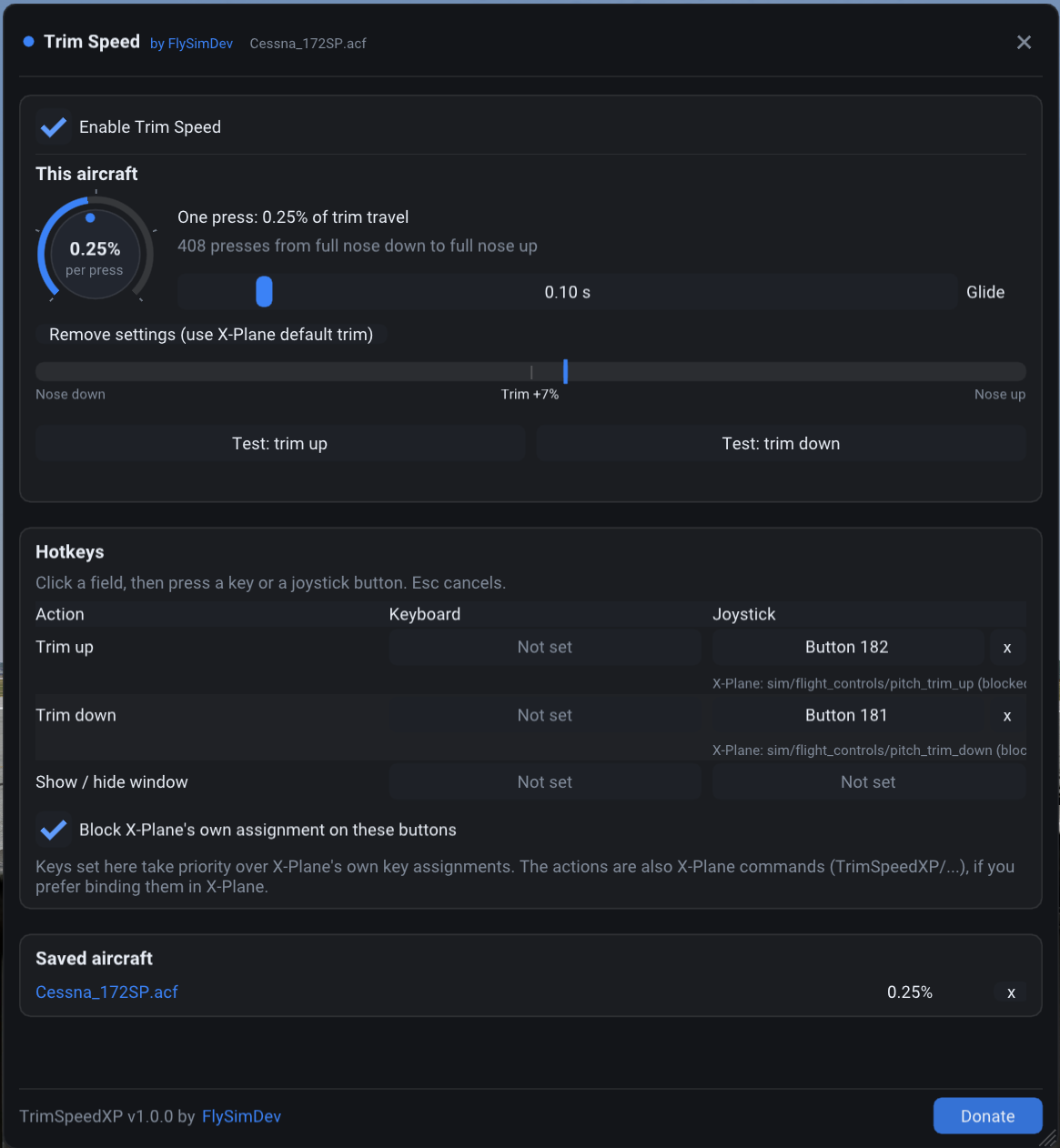
- One press moves the trim by an amount you set, from very fine (0.005 %) to coarse (20 % of the full trim travel).
- Smooth glide to the new position, from instant up to 1 second.
- Settings are saved per aircraft. Aircraft you haven't set up keep X-Plane's normal trim.
- Assign your own keyboard keys and joystick buttons in the plugin window, or use X-Plane's own Keyboard and Joystick settings.
- Works with digital trim wheels (such as the Honeycomb Bravo's): each click of the wheel moves the trim by the amount you set.
- A live trim gauge shows where the trim is and how far one press goes.
- No other add-ons needed (no FlyWithLua or scripts).
Contents
- Installation: what you need, installing, updating and uninstalling.
- Quick start: set up your first aircraft in a minute.
- The window: every setting in the TrimSpeedXP window.
- Hotkeys and trim wheels: assigning keys, joystick buttons and digital trim wheels.
- Troubleshooting: common problems, the log and where your settings are stored.
- Questions and answers: what TrimSpeedXP does and does not do.
The short version
- Copy the
TrimSpeedXPfolder from the download intoX-Plane 12/Resources/plugins. - In X-Plane, open Plugins › FSD Trim Speed XP › Show / hide window.
- Click Create settings for this aircraft and turn the knob to set how far one press moves the trim.
- Assign your trim keys, buttons or trim wheel under Hotkeys, and go fly.
Support TrimSpeedXP
TrimSpeedXP is free. If it makes your flying easier, a donation helps FlySimDev keep building tools for flight simmers:
- Donate (PayPal): paypal.com/donate/?hosted_button_id=KHUJKNM8PXR7E
- More from FlySimDev: github.com/flysimdev
- Found a bug or have an idea? Open an issue.
Thank you, and happy flying!